AR Advances let merchants collect payments that are not tied to a specific invoice. This provides flexibility to take payments upfront without creating an invoice in advance. Each AR Advance is linked directly to the customer record.
Important
- Enable AR Advances before capturing or requesting them
- If AR Advances are not enabled in Sage Intacct, they cannot be applied to payments
Capture an AR Advance
There are two ways to capture an AR Advance
Option 1: Use funds on file
1. On the Customer tab, select the customer to capture the AR Advance

2. Click AR Advance
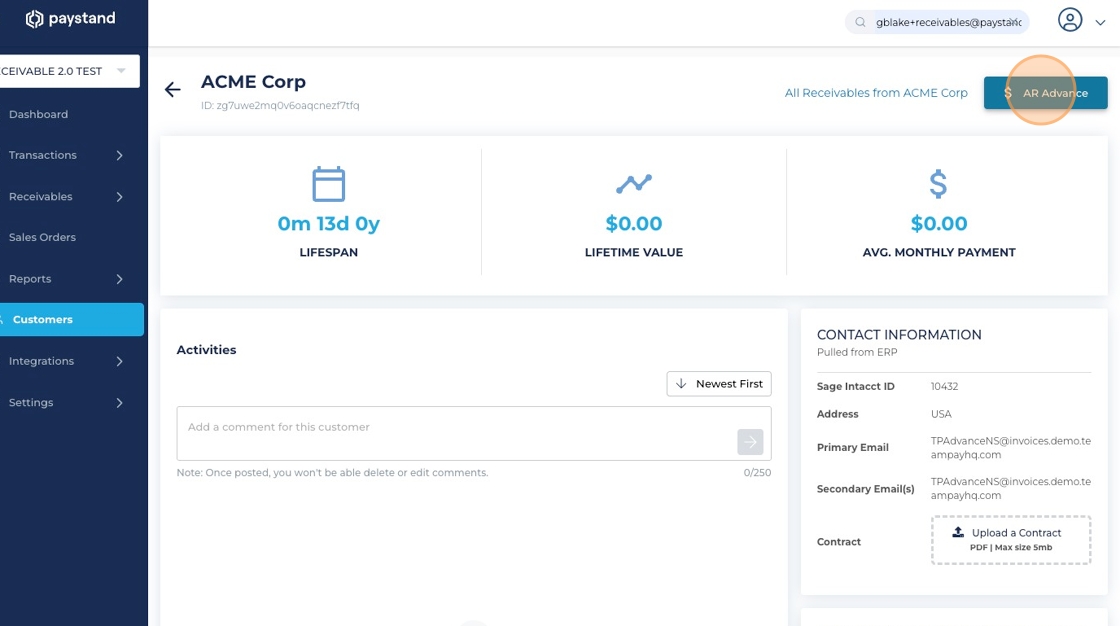
3. Enter the amount
Choose the stored payment method under Token in File and click Pay

Option 2: Capture a new token
1. Click Capture Token

2. Enter the new payment method details

Request an AR Advance
1. Click Request Payment

2. Enter the request details and amount

3. Click Send Request
The customer receives a link to enter payment details.

What to expect
- The AR Advance is linked to the customer record
- AR Advances can later be applied to invoices